Windows · Beta 1 · Free
WEBBIT
A website editor for the files you already own. Build visually, edit the source, or use both. HTML, CSS and JavaScript — yours to keep and host anywhere.
What you see
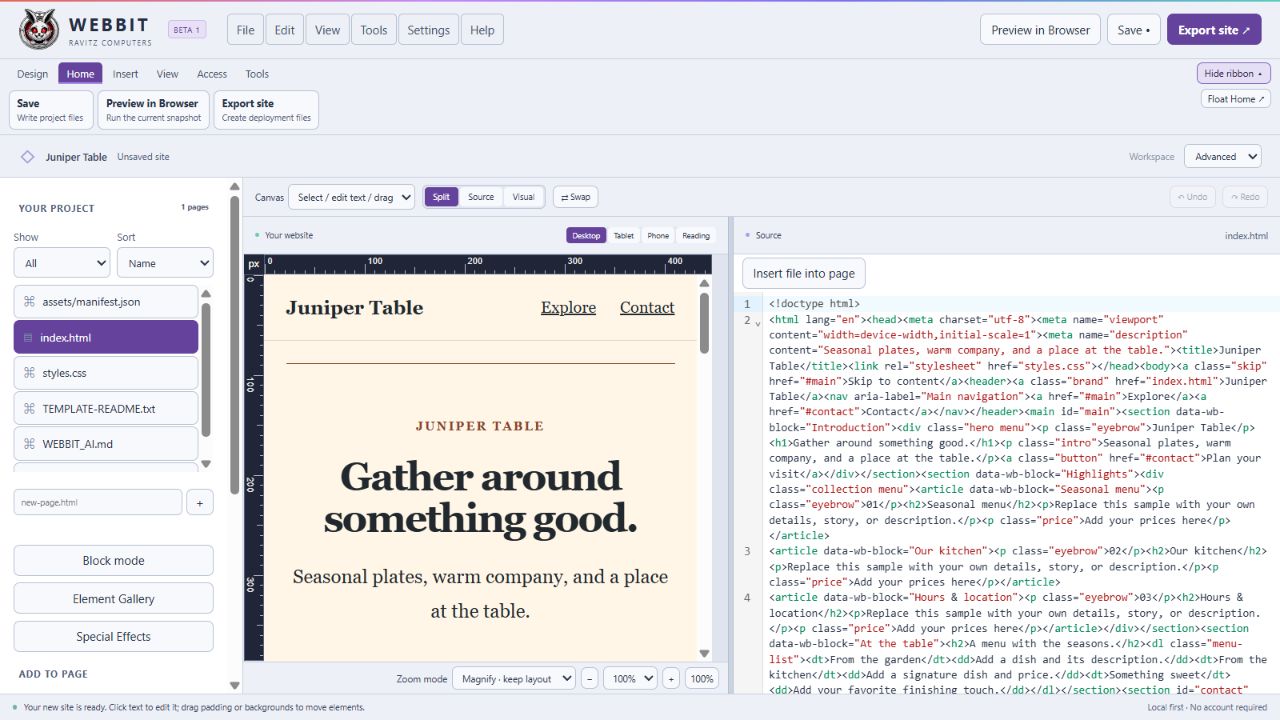
Your page. Your source.
Work on the rendered page and its HTML side by side. Select an element to change it through the ribbon, or get straight into the code.
What it does
Elements
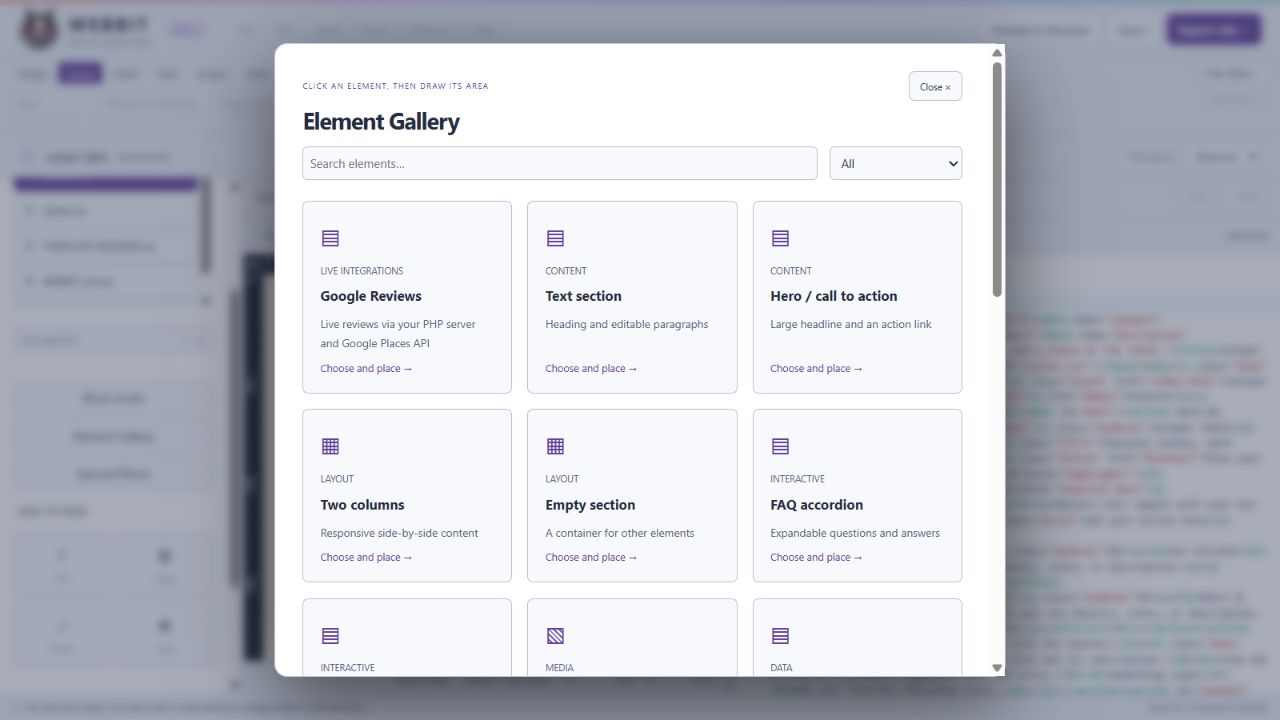
Pick it. Place it.
Choose a component from the gallery, then draw its place on the page. A button, a picture or a restaurant menu gets its own controls.
Preview
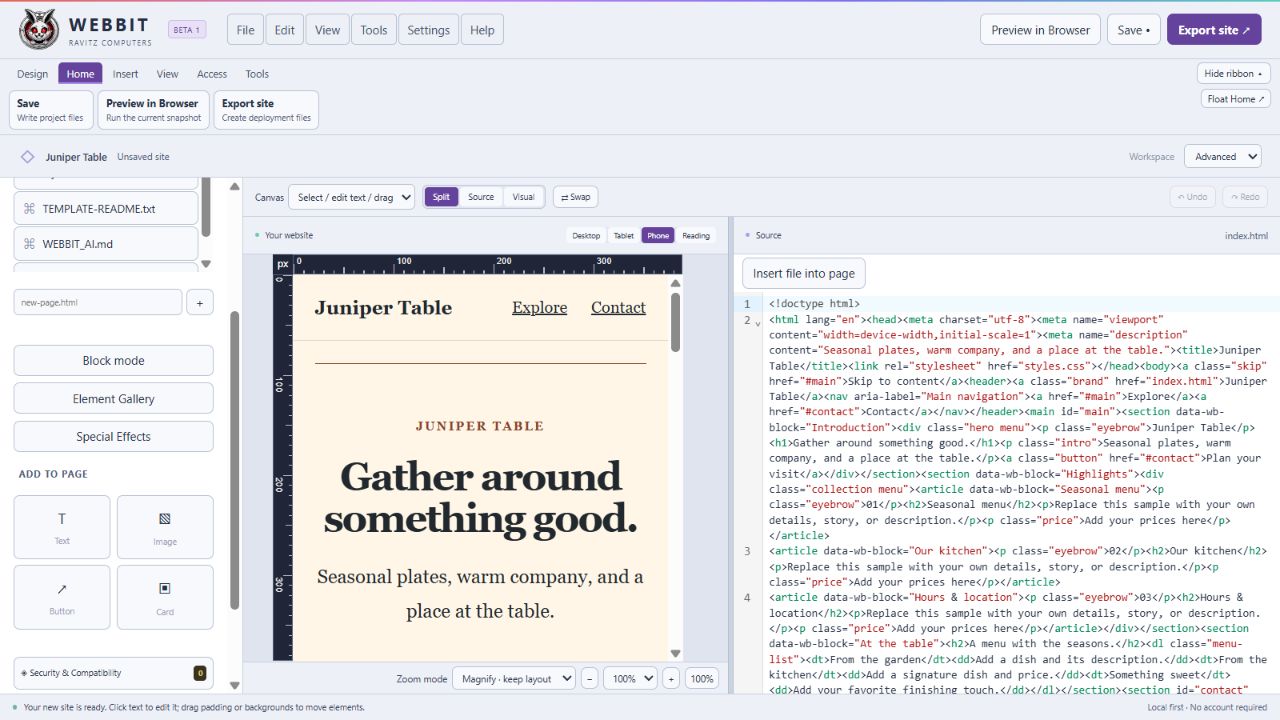
Check the small screen.
Switch between desktop, tablet and phone. Zoom in to work closely, or test how the page reflows when a visitor changes their browser zoom.
Install
One file.
The installer puts Webbit in Program Files. It checks for Microsoft WebView2 and downloads the runtime only if it is missing. No account or subscription.
- Operating system
- Windows 10 or 11, 64-bit
- Price
- Free
- Installer
- Webbit-Beta-1-Setup.exe
- Account
- None
The portable ZIP includes its own WebView2 runtime, which makes it larger. Current Windows downloads are unsigned; Windows may show a publisher warning.
How it works
Ordinary files.
Webbit is a lightweight Tauri desktop app with a React editor. Your website stays a folder of regular files. Static pages run in browser preview; PHP needs a PHP server.
Webbit
Visual editor, source, ribbon and project tools.
Your website
HTML, CSS, JavaScript, PHP and assets. Keep them. Edit them. Host them.
Beta 1
Still growing.
Free to download and try. Created as a fun side project with help from AI. The project status lists what has been verified and what still needs work.
Live database connections and automatic WordPress themes remain planned. CSV, TSV and JSON table import are available. Compatibility Guard gives useful checks, not a security certification. Webbit source is MIT; Vinny and Ravitz artwork retain their proprietary rights.